
Your Workspace Is the Context: How PageSpace Teaches AI Where It Is
Most AI tools dump flat text into a prompt. PageSpace gives AI a map — a tree structure that encodes location, hierarchy, and meaning. Here's how workspace organization becomes AI understanding.
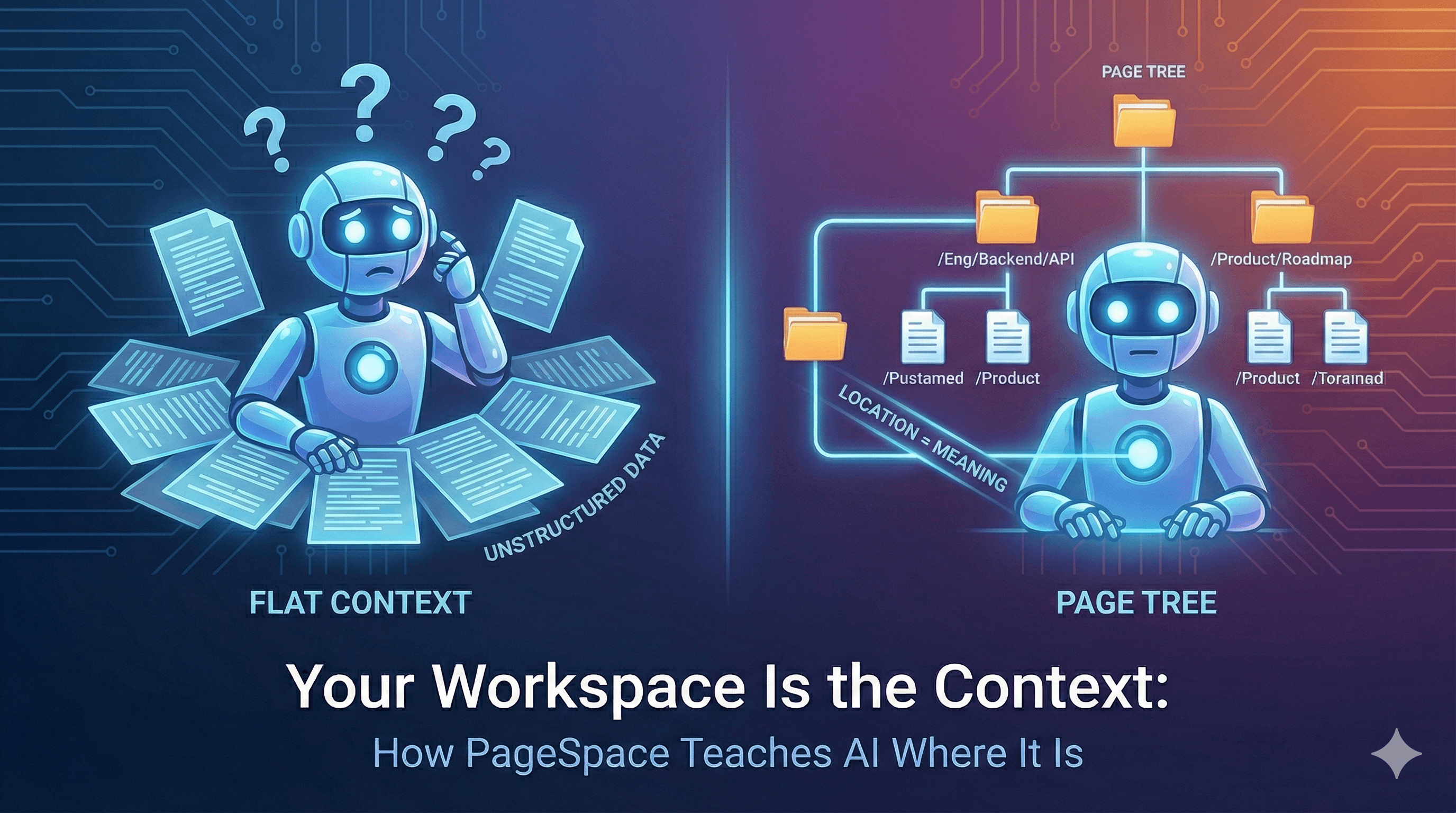
The Problem with Flat Context
Most AI tools work like this: take a blob of text, shove it into the system prompt, hope the model figures it out.
There's no structure. No location. No hierarchy. The AI doesn't know where it is, what's around it, or how the information relates to anything else. It's reading a book with no table of contents, no chapters, no page numbers.
You end up doing the work the AI should be doing — explaining what project this is, what files are relevant, what conventions apply. Every session. Every time.
The problem isn't the AI's capability. It's that nobody gave it a map.
The Tree as a Semantic Structure
PageSpace organizes everything in a page tree. Folders, documents, AI agents, chat channels, spreadsheets, canvases — they all live in a hierarchical structure you design.
This isn't just a UI convenience. The tree is the context model.
Where a page lives tells the AI what it means. A document called "API Design" under /Engineering/Backend/ carries different weight than a document with the same name under /Archive/Old Drafts/. The path encodes intent, scope, and relevance — without you writing a single annotation.
When you organize your workspace, you're not just tidying up for yourself. You're teaching the AI how your work is structured.
Breadcrumb Path Injection
When you chat with an AI agent in PageSpace, the system builds a breadcrumb path from the page's position in the tree and injects it directly into the system prompt.
Here's what the AI actually receives — the real PAGE CONTEXT block from the system prompt builder:
PAGE CONTEXT:
• Location: /engineering/backend/api-design
• Type: DOCUMENT
• Path: Engineering > Backend > API Design
• When users say "here", they mean this page
The AI now knows it's looking at an API design document inside the backend section of the engineering workspace. When you say "here," it means something specific. When you say "update this," the AI knows exactly what "this" refers to.
No ambiguity. No guessing. The tree position resolves it.
Workspace Structure as a Map
Beyond knowing its own location, the AI can receive the entire workspace tree — formatted as a visual hierarchy that mirrors the structure you built.
Here's the real format, generated from PageSpace's tree formatter:
├── 📁 Engineering
│   ├── 📄 Architecture Overview
│   ├── 🤖 Code Review Agent
│   └── 📁 Backend
│       ├── 📄 API Design
│       └── 📄 Database Schema
└── 📁 Product
    ├── 📄 Roadmap
    └── 💬 Team Discussion
The AI can see sibling pages, parent folders, and the full organizational context. It knows that "Architecture Overview" and "Code Review Agent" sit alongside the "Backend" folder. It can decide what to read based on structure, not guesswork.
When someone asks "what do we know about the backend?" the AI doesn't search blindly — it looks at the Backend folder, sees what's there, and reads what's relevant. The tree tells it where to look.
Inline Instructions — What the AI Knows About Itself
Beyond location, the AI receives contextual rules that define how it should behave in this specific context. These come from PageSpace's inline instruction system:
CONTEXT:
• Current location: "API Design" [DOCUMENT] at /eng/backend/api-design in "Engineering"
• DriveSlug: eng, DriveId: abc123
• When user says "here" or "this", they mean this location
• Explore current drive first (list_pages) before other drives
The AI also receives page type documentation — what each type can do, what operations make sense. It knows that a DOCUMENT page supports rich text editing and content updates. It knows that a SPREADSHEET page has structured data. It knows that an AI_CHAT page is a conversation.
Add workspace-level rules — your team's conventions, writing style preferences, tool restrictions — and the AI's behavior becomes specific to where it's operating, not generic across all contexts.
The Tools — How the AI Explores
PageSpace doesn't just give the AI a static context dump. It gives the AI real tools to explore your workspace actively:
list_pages— Browse the tree structure, see what's inside any folderread_page— Read the full content of any page in the workspaceregex_search— Search content across pages with regex patterns, returns matches with line numbers and semantic pathsglob_search— Find pages by path patterns like**/meeting-notes/*orengineering/**multi_drive_search— Search across all workspaces at once when the answer might live somewhere elseask_agent— Call another AI agent in the workspace, delegating specialized questions to agents with domain expertise
The AI doesn't just receive context passively — it can actively navigate. The tree gives it a map. The tools let it move through it. When the AI needs to find related documents, it doesn't ask you to paste them. It searches, reads, and synthesizes on its own.
Page Agents: Context-Aware AI in the Tree
Page agents are AI_CHAT pages that live in the tree alongside your documents. They're not separate from your workspace — they're part of it.
Each agent can be configured with:
- Custom system prompts — specific instructions for what this agent knows and how it should behave
- Tool permissions — allow only read tools for a research agent, or write tools for an editor agent
- Page tree visibility — see only children of the current folder, or the full drive structure
- Drive prompt inclusion — inherit workspace-level instructions and conventions
Here's why the tree matters for agents: an agent nested under /Engineering/Backend/ naturally has context about backend engineering. Its position in the tree encodes its purpose. A "Code Review Agent" sitting next to "Architecture Overview" and "API Design" inherently understands its scope — it's there to review code in the context of that architecture and those APIs.
You don't need to write elaborate prompts explaining what the agent should focus on. The tree already told it.
The Composable Prompt
All of this comes together in how PageSpace assembles the final system prompt. It's not one monolithic block — it's built from discrete, composable layers:
- Core role definition — the base personality and capabilities
- User personalization — your bio, writing style, custom rules
- Location context — breadcrumbs, drive info, page type
- Workspace structure — the tree, visible as a map
- Inline instructions — contextual rules for this specific location
- Timestamp context — current date, time, and timezone
- Agent awareness — list of other agents available to consult
Each layer is independently cacheable. Each is determined by the tree position — different locations produce different prompts. An agent in the Engineering folder gets engineering context. An agent in Product gets product context. Same underlying model, different understanding.
The tree isn't just organizing your files. It's programming the AI.
Why This Matters
AI that knows where it is makes better decisions.
It doesn't need you to explain the project structure — it can see the tree. It doesn't need you to point at related documents — it can find them. It understands that a page under "Architecture Decisions" is different from a page under "Meeting Notes" even if they mention the same topic.
Structure is meaning. A flat list of documents is just noise. A tree is a semantic model — every folder boundary, every nesting level, every sibling relationship carries information about how your work fits together.
When you organize your PageSpace workspace, you're not doing busywork. You're building the context model that makes your AI actually useful. The workspace is the prompt.
Your workspace is the context. Make it a good one.