
Your Agents Just Got a Computer
PageSpace agents now run on a real machine in the cloud — with a real terminal, a real filesystem, and real code execution. Split the Agents screen into panes to run several at once. And scheduled automations can now write and run code themselves, unattended. Here's what shipped, and what it means for what you can build.
We said this was coming
Back in June, we told you agents would run real code in sandboxed containers, right inside your workspace. Not a snippet you copy into your own terminal. The agent, actually running it. We said "more on that as it lands."
It landed. Today it's open to every Pro plan and above.
Your agent gets a machine
Start an agent session in PageSpace and your agent isn't just talking to you anymore. It's provisioning a real cloud machine behind the conversation: its own filesystem, its own shell, its own life for as long as the session runs. When it reads a file, it's reading an actual file. When it runs a build, a real build runs. When it calls git, that's a real repository, with real history. Your agent stops describing the work and starts doing it.
That's a bigger shift than it sounds. What your agent builds in there is real: not a snippet for you to copy out and run somewhere else, but an actual script, an actual small app, written and run right there in the session, ready to open and use. PageSpace stops being a place where you talk about the software you want and becomes a place where it gets built.
The machine is yours too
That cloud machine isn't sealed off behind the conversation. Open a terminal pane on the same session and you're looking at the same filesystem your agent is working in, live. Run a command yourself. Check a file it just touched. Nothing your agent does is happening somewhere you can't see or reach.
And because it's a genuine machine, not a sealed sandbox with one door, you're never fenced in. If you've got a CLI tool you already reach for, it runs there too. That's a side benefit of building this the right way, not the headline. The headline is that your PageSpace agent, the one you configured, the one that already knows your workspace, now has somewhere real to work.
One screen, built for more than one agent at a time
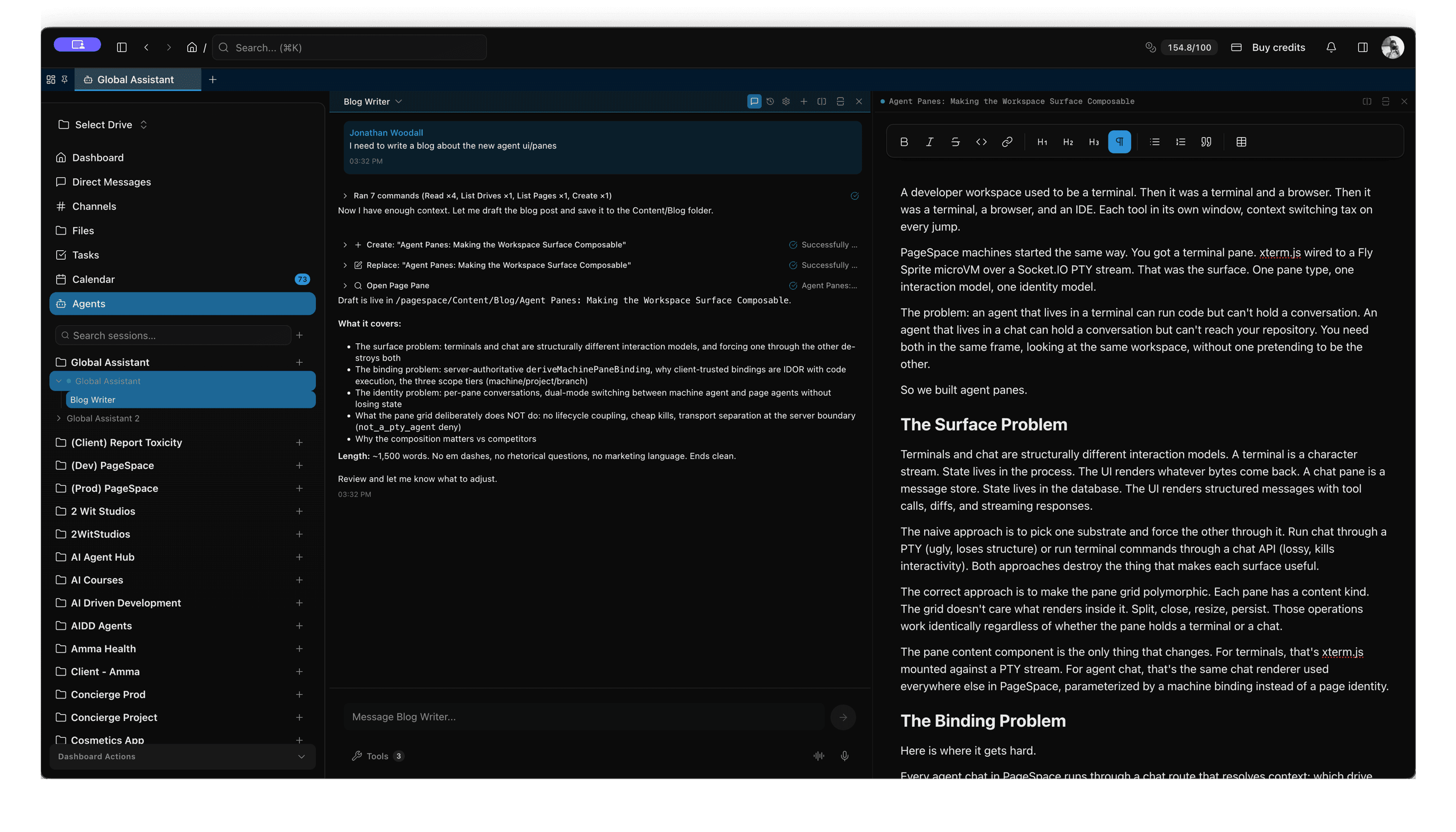
The second half of this release is the screen you actually work in. The Agents screen now splits into panes: side-by-side columns, and rows stacked inside each one.
Put your agent next to the terminal it's driving and watch the work happen in real time instead of taking it on faith. Put it next to the task list it's supposed to be working through, or next to the document it's supposed to be editing, and watch both update as the conversation moves. Run two, three, however many agents you need side by side — a researcher next to a coder next to the doc they're both writing into — and watch them work as a team instead of one at a time in a queue.
This is the difference between a chatbot and a workspace. A chatbot gives you one window and asks you to hold everything else in your head: what it's doing, what it should be doing, what else is true right now. Panes let you keep all of that in view, because none of it is separate from your work. It's the same page.
Automations that write and run code, on their own
There's a third piece to this release, and it might be the one that matters most if you're not planning to sit and watch: PageSpace Workflows — the automations you already trigger on a schedule, on a webhook, when a task comes due, when a calendar event fires — can now write and run real code too, the same way an interactive session can.
That means an automation isn't limited to reading and summarizing anymore. A workflow that fires every morning can pull data, run a script against it, and commit the result. A webhook from your CI system can trigger an agent that actually runs a fix, not just files a note about one. The same sandbox eligibility applies here as everywhere else — the workflow's agent needs sandbox access turned on, and the drive's owner needs to be on Pro or above — but once that's true, "automation" stops meaning "summary" and starts meaning "does the work while you're not looking."
Why this is the point
We didn't build sandboxed sessions so agents could run code in a black box, and we didn't build panes so you'd have more windows to manage, and we didn't wire code execution into Workflows just to check a box. We built all three because the real work of building software has never been one conversation, watched once, by one person. It's a plan, a terminal, a file, a task list, and something — a person, an agent, a scheduled job — moving all of them forward, sometimes while you're asleep. Panes make room for that on screen. The sandbox makes sure what's happening in that room is real. Workflows mean it can keep happening without you.
What it costs
Every PageSpace plan gets the full interface: sessions, chat, panes, and Workflows. The sandbox itself — the actual cloud machine, the terminal, real code execution, whether you trigger it yourself or a workflow does — is a Pro-plan feature — and eligibility follows whoever pays for the workspace. If the drive you're working in is owned by a Pro account, every member with edit access gets the sandbox in that drive's sessions, even members whose own accounts are on Free — your personal Global Assistant still runs on your own plan. If the payer is on Free — your own drives, your own Global Assistant sessions — you'll see everything and can use everything except the machine underneath it, with a clear upgrade prompt wherever that boundary shows up. On Pro and above, sandbox time draws from the same credit balance as everything else in PageSpace — there's no separate line-item charge, just the plan you're already on and the credits you already have.
It's live
Agent sessions, panes, and code-executing Workflows are open to everyone today. Start a session from the Agents screen, split a pane, open a terminal. If you're on Pro or above, all of it just works. If you're not yet, upgrade to Pro and it will.